Dual-Monitor Risers vs. Gas-Spring Desk Arms: VESA Load, Desk Clamp & Ergonomic Height Guide (2026)
Editorial transparency: Independent hardware guide. Direct store orders include free US tracked shipping and a 30-day warranty; external partner links may earn a commission at no extra cost to you.
Raising a 27-inch or 34-inch monitor off its factory plastic pedestal is the single fastest upgrade you can make for neck posture and usable desk surface area—yet buyers routinely pick the wrong mounting hardware for their desk material. Clamp a high-torque single-point C-clamp onto a hollow-core honeycomb desk and the top veneer can crush inward within weeks; conversely, put a fixed wooden shelf under an ultrawide display when you constantly pivot between coding and portrait reading and you lose every advantage of dynamic VESA articulation.
In this engineering breakdown, we compare articulating gas-spring VESA desk arms against wide dual-monitor risers and modular USB hub stands—covering VESA 75×75 and 100×100 hole patterns, gas-strut counterbalance tension windows, desk-edge C-clamp vs. grommet load distribution, and which setup fits your workspace best.
Quick Comparison: Gas-Spring Monitor Arms vs. Wide Dual-Monitor Stands
| Hardware Pick | Mounting Architecture | Max Load / Screen Size | Integrated Power / USB Hub | Best Desk Type | Action |
|---|---|---|---|---|---|
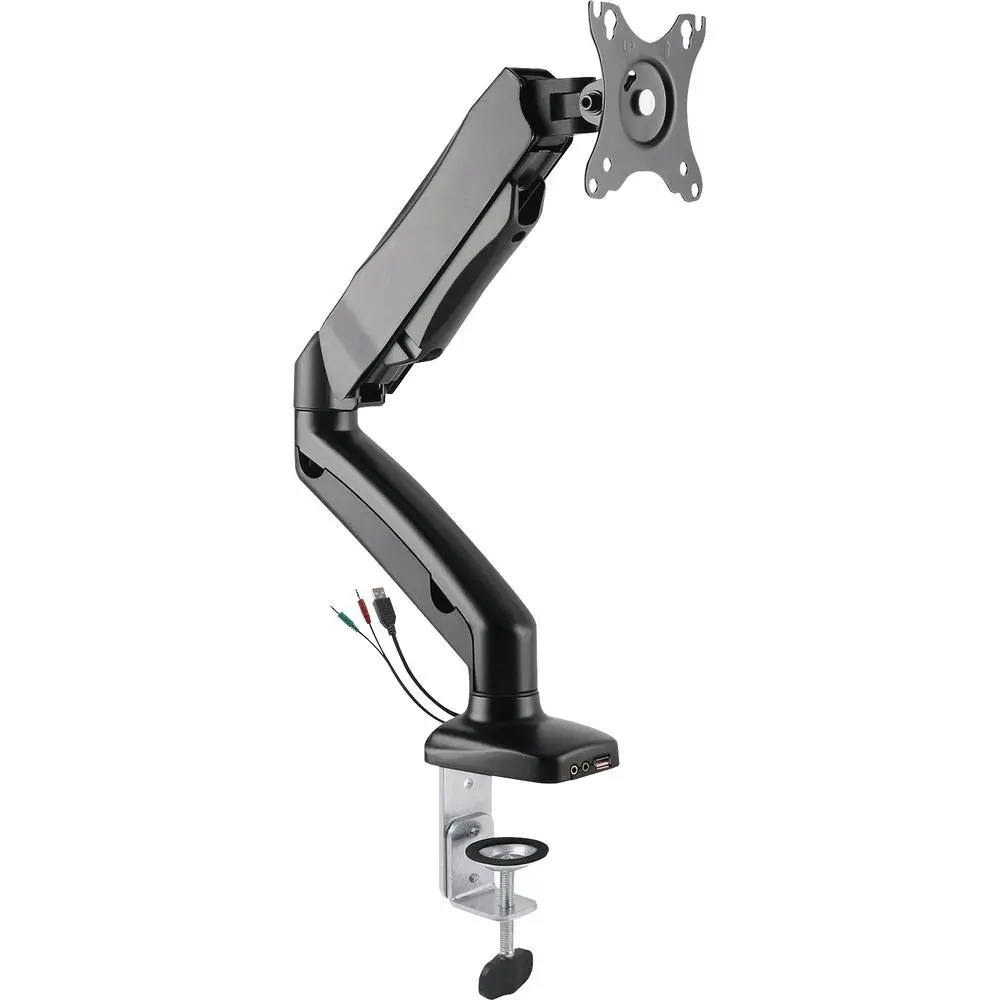
| Lorell Articulating Gas-Spring Monitor Arm | C-Clamp or Grommet + Gas Strut | 17"–32" (4.4–19.8 lbs, VESA 75/100) | Internal cable management channels | Solid wood, butcher block, steel-frame desks | VIP 1-Click ($135.89 w/ WELCOME10) → |
| Rocelco 30" Dual Monitor Stand + Power Strip | 30" Wide Freestanding Desktop Riser | Up to two 27" monitors (40 lbs distributed) | 3 AC Outlets + USB Charging Hub + 6.5 ft cord | Standing desk converters, glass or hollow-core tops | VIP 1-Click ($137.69 w/ WELCOME10) → |
| DAC Stax Modular Height-Adjustable Stand | Stackable Column Desktop Riser | Up to 30 lbs (Monitors & All-in-One PCs) | Dual Pass-Through USB Hub Ports | Compact home offices & corner desks | VIP 1-Click ($73.79 w/ WELCOME10) → |
| DAC Aluminum Laptop Stand + 4-Port USB 3.0 Hub | Elevated Aluminum Laptop Cooling Stand | 11"–17" MacBooks & Ultrabooks | 4-Port SuperSpeed USB 3.0 Hub | Laptop + External Monitor Dual-Screen Setups | VIP 1-Click ($115.19 w/ WELCOME10) → |
| Ergotron LX Desk Monitor Arm (Amazon Prime) | Constant-Force Mechanical Spring Arm | Up to 34" (7–25 lbs, VESA 75/100) | Under-arm cable routing clips | Heavy 34" ultrawide monitors | Check Prime Price → |
1. How Gas-Spring Counterbalance Arms Work (And Why Minimum Weight Matters)
Unlike rigid friction pole mounts that require loosening a hex bolt every time you want to raise or lower your screen, an articulating gas-spring arm like the Lorell Articulating Gas-Spring Single Monitor Desk Mount Arm ($150.99, ships from US warehouse) uses an internal nitrogen cylinder tuned via a single hex tension screw at the elbow joint. Once calibrated to match the exact weight of your monitor panel (without its factory stand), you can float the display up, down, forward, or 90 degrees into vertical portrait mode with two fingers.
Crucial Engineering Check: Every gas-spring cylinder has both a maximum load limit (typically 19.8 lbs / 9 kg) and a minimum counterbalance weight (typically 4.4 lbs / 2 kg). Always look up your monitor’s “panel weight without stand” in its spec sheet—a 27-inch monitor that weighs 13.5 lbs in the box often weighs only 8.9 lbs once you unbolt the heavy cast-iron base.
2. When a Wide Dual-Monitor Riser Beats a Clamp Arm
There are three desk scenarios where clamping a high-leverage monitor arm to the back edge of your table is either impossible or risky:
- Tempered Glass or Honeycomb Particleboard Desks: A C-clamp concentrates 15 to 25 lbs of cantilevered torque onto a 3-square-inch steel pressure plate. On hollow-core desks or thin glass tops, a wide 30-inch freestanding platform spreads weight safely across a 30-inch footprint.
- Flush Wall-Backed Built-In Desks: If your desk is built flush against drywall with zero rear overhang and you don’t want to drill a grommet hole through the surface, a desktop riser installs in seconds with zero clamping clearance required.
- Desktop Cable & Power Consolidation: The Rocelco 30-Inch Dual Monitor Stand ($152.99) builds a 3-outlet AC power strip plus USB charging ports directly into the riser frame, letting you plug both monitors and your laptop brick right into the stand while sliding your full-size keyboard and mouse underneath when off the clock.
Need to verify whether your USB-C dock or laptop charger leaves enough wattage headroom for your desktop accessories? Run your setup through our interactive USB-C PD Wattage & Charger Sizer Tool before wiring your desk.
3. Pairing a Laptop + External Monitor at Identical Eye Height
If your dual-screen workflow combines a 14-inch or 16-inch laptop with a primary 27-inch monitor, leaving the laptop flat on the desk forces a 35-degree downward neck tilt every time you glance at Slack or reference docs. Elevating the laptop on the DAC Aluminum Laptop Stand with Integrated 4-Port USB 3.0 Hub ($127.99) aligns the top bezel of your laptop screen with your primary monitor while adding four SuperSpeed USB-A peripheral ports for your webcam, microphone, and wireless receiver. For single-monitor users who want modular height blocks plus front-accessible USB ports, the DAC Stax Height-Adjustable Monitor Stand ($81.99) lets you add or remove support rings to dial in the exact 15-degree downward viewing angle recommended by occupational ergonomists.
Frequently Asked Questions
How do I know if my monitor is VESA 75×75 or 100×100 compatible?
Inspect the back center of your monitor (or unclip the factory stand cover) and look for four threaded M4 screw holes arranged in a square measuring either 75mm (2.95 inches) or 100mm (3.94 inches) apart. Both the Lorell Gas-Spring Arm and standard VESA plates include dual hole patterns that fit 75x75mm and 100x100mm displays out of the box.
Why does my new gas-spring monitor arm keep springing all the way up?
Monitor arms ship from the factory tensioned for heavier screens. Attach your monitor first so its weight loads the arm, push the arm halfway down, and turn the elbow hex screw toward the minus (-) symbol until the display stays stationary wherever you release it.
Can I mount a gas-spring arm on a particleboard or IKEA honeycomb desk?
Only if you install a steel monitor-mount reinforcement plate above and below the desk clamp to distribute the clamping pressure across a 6×8-inch surface area—or choose a wide freestanding riser like the Rocelco 30-Inch Dual Monitor Stand instead.
What is the ideal ergonomic height and distance for a 27-inch monitor?
Position the monitor roughly one full arm’s length (22 to 28 inches) from your eyes, with the top bezel of the screen level with—or up to 2 inches below—your horizontal line of sight so your neck remains neutral.